A look inside the BeginCDL study program
This is a real look inside the BeginCDL program. For every CDL test you need, you get CDL study material built around it: the CDL manual section to read, the key facts to review, and CDL practice tests drawn from the full question bank, until you can pass under exam conditions.
The BeginCDL practice program lets you retake CDL practice tests, and exams as many times as you like.
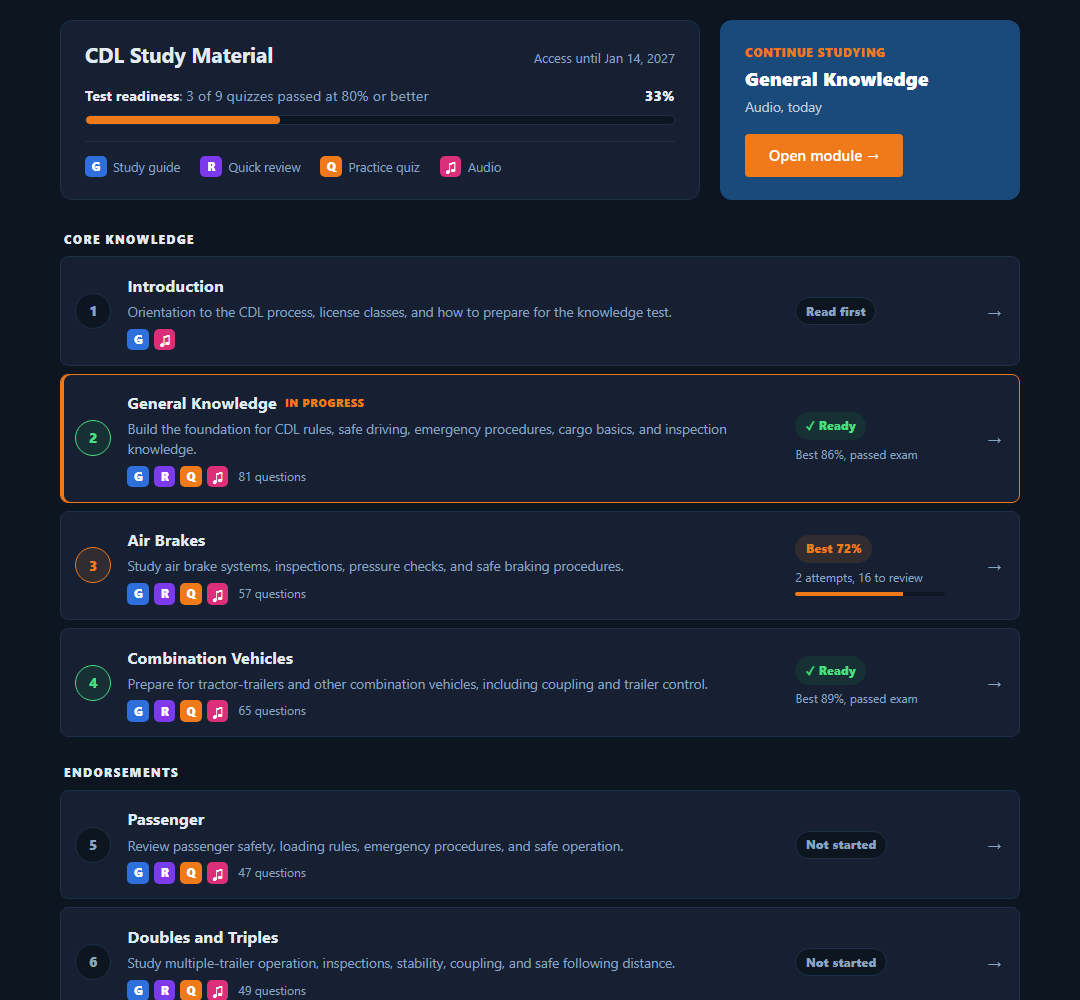
One dashboard shows exactly where you stand
Your study material is listed in the order the CDL manual teaches it: core knowledge first, then the endorsements being studied. Each row shows what it contains, how many practice questions it has, your best score, and whether you are ready.
- A readiness bar tracks how many quizzes you have passed at 80% or better, the score the real test needs.
- "Continue studying" takes you straight back to where you were.
- Your access date is always visible. No subscription, no auto-renewal.
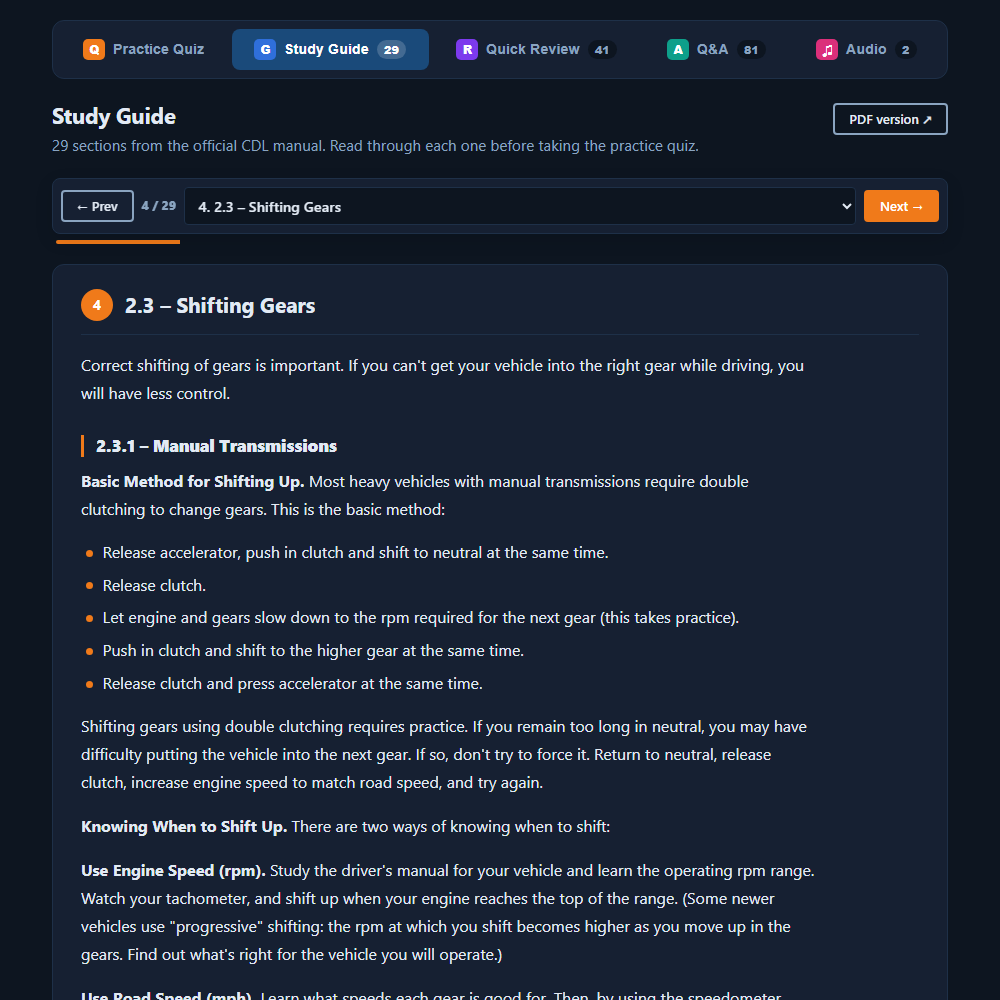
The official CDL manual, rebuilt for the screen you are holding
Each CDL study guide is the CDL manual section for that test, converted to clean, readable pages with the original diagrams and tables. No PDF squinting: it reflows to your phone, you read one section at a time, and it remembers where you stopped. Perfect for studying for a CDL practice test or CDL exam.
- Section picker plus Previous / Next, with a progress bar through the guide.
- Every "Test Your Knowledge" review from the manual, boxed at the end of its section.
- The original PDF is one click away if you want it.
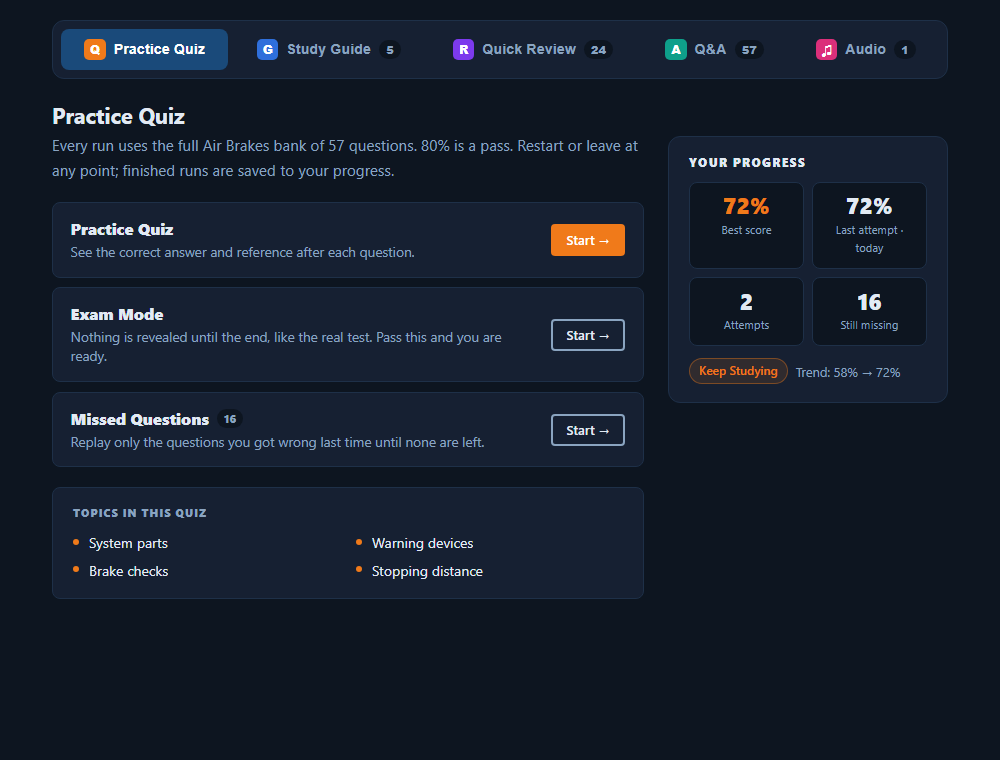
Three ways to run the same question bank
Every quiz runs the full bank for that selected CDL endorsement study material, never a random ten. Pick the CDL study material that matches where you are.
- Practice Quiz shows the correct answer and the manual reference after each question.
- Exam Mode reveals nothing until the end, like the real test. Pass it and the test is marked ready.
- Missed Questions replays only what you got wrong last time, until none are left.
Your best score, last result, attempts, and how many questions you still miss sit beside the buttons, so you always know what to run next.
Answer, see why, move on
Questions are written in the style of the state test and tied to the manual section they come from. In practice mode the right answer lights up the moment you choose, with the reference so you can read the source if you want to.
- Keyboard shortcuts on desktop: A to D to answer, Enter for next.
- Restart or go back to the menu at any point. Finished runs are saved to your progress.

Results that tell you what to do next
Score, time, your last few attempts, and every question you missed with the correct answer and its manual reference. From here you can retry, drill just the misses, or take it in exam mode.
- The trend line shows whether you are improving, not just how you did once.
- Missed questions carry over: the Missed Questions mode always knows what you still get wrong.

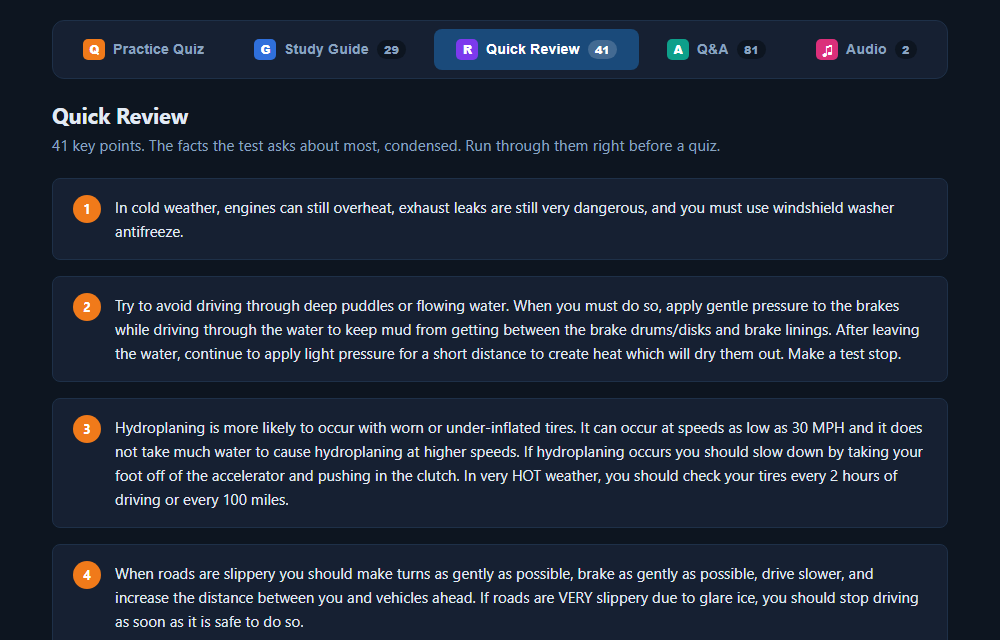
Quick Review and Q&A for the night before
Quick Review is the study material boiled down to the facts the test actually asks about: numbered, short, and easy to read on a phone in a parking lot. Q&A lists every question in the bank with the correct answer highlighted and the section it comes from, for a fast read-through instead of a timed run.

Listen to the manual on the road
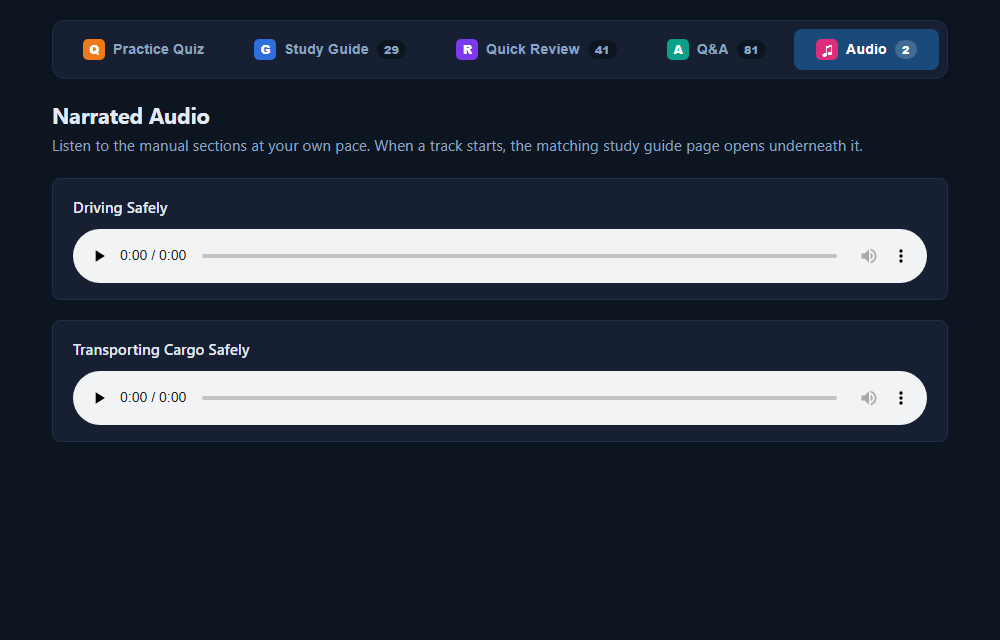
Narrated audio of each manual section, so you can study while driving, walking, or at work. When a track starts, the matching study guide page opens underneath it for anyone who wants to follow along.
Built for the phone in your pocket
Most drivers study in the truck, on a break, or in line at the licensing office. Everything here, the guides, the quizzes, the reviews, is laid out for a phone first. Nothing to install: sign in from any device and your progress is there.
- Study guides read like a web page, not a shrunken PDF.
- Big tap targets for quiz answers, one section at a time for reading.
- Your place in every guide and every score follows you between devices.


What every purchase includes
- Study guide from the official CDL manual, with diagrams
- Quick Review key facts
- Full practice question bank in Practice, Exam and Missed Questions modes
- Q&A read-through with manual references
- Narrated audio
- Progress tracking and test readiness
- The Introduction, free with any purchase
- 120 days of access, extendable to 180 or 365 days at checkout
600+ practice questions across 10 tests, matched to the knowledge tests in all 50 states and DC.
No subscription, no auto-renewal: 120 days of access included, or extend to 180 or 365 days at checkout.